
Phishing report button for Outlook and Gmail
One click for your people to report suspicious email from the inbox. Compatible with Outlook, Outlook On-Premise and Gmail.
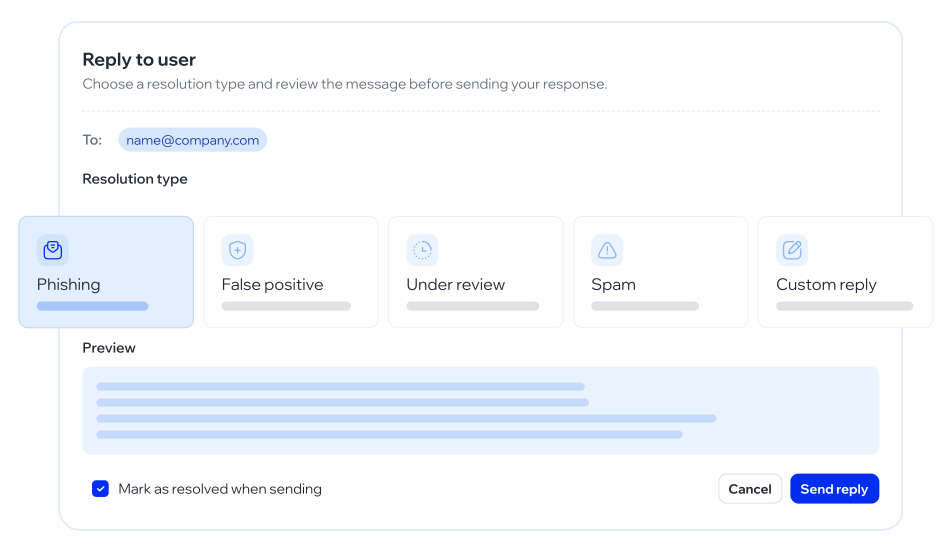
How it is installed, what the employee sees, and what happens to the mail
It is deployed for the organization, not as a plugin each person hunts in a store. IT enables it. IT enables it. The scope is: Outlook, Outlook On-Premise, Gmail.
A control in the inbox. One click. Not a five-field form. The habit has to compete with “delete and move on”.
The reported mail is sent as .eml to the mailbox you defined. Headers are not lost. Security receives the message, not a crop.
Reports land, are classified and resolved. Analytics return volume, resolution state, classification and weekly distribution. That inbox is the close of the button, not a separate URL.
One click in the mail, and the incident reaches security
A phishing report button in Outlook
The employee does not open a ticket. They do not copy the.eml by hand. They press the button. The full message travels to the mailbox you configured.
The keyword is the Outlook button because that is the query
The product also covers Gmail and, explicitly, Outlook On-Premise: the environment many LATAM entities still run, which a “Microsoft 365 only” add-in leaves out.
The simulation measures the click on the lure
The button measures the opposite gesture: reporting. Report rate matters more than click rate when the program is no longer an exam: it is a habit. We do not repeat the pillar’s simulated inbox.
Incident inbox
Reports land here. They are classified. They are resolved. Analytics show volume, resolution state, classification and weekly distribution. It is not an orphan mailbox and not a help-desk spreadsheet. It is the close of the gesture the button fires. The inbox closes the gesture: classify, resolve, measure volume.
What it is for when clicks are no longer enough as a KPI
It is so the SOC does not depend on an informal forward
It is so People does not only measure “who fell”. It is to show that the roster reports, which is the control an auditor reads as culture, not as fear of the drill.
Outlook On-Premise is not a footnote
If your entity is not on Microsoft 365, that is declared at the top. A button that only exists in the cloud does not cover that query.
How it connects to phishing simulations
In a simulation, reporting is the right gesture. The module logs it. The button makes that gesture exist against real mail too. The incident inbox closes the cycle: it is not a dead mailbox. Adaptive training can reinforce whoever does not report. Analytics can show volume and resolution. The product is the button and the inbox. The campaign lives on phishing simulations.
How this module is used
Questions about the report button
Put reporting one click from the inbox
In the demo we look at Outlook, On-Premise and Gmail, and how the .eml lands. No add-in store how-to.